
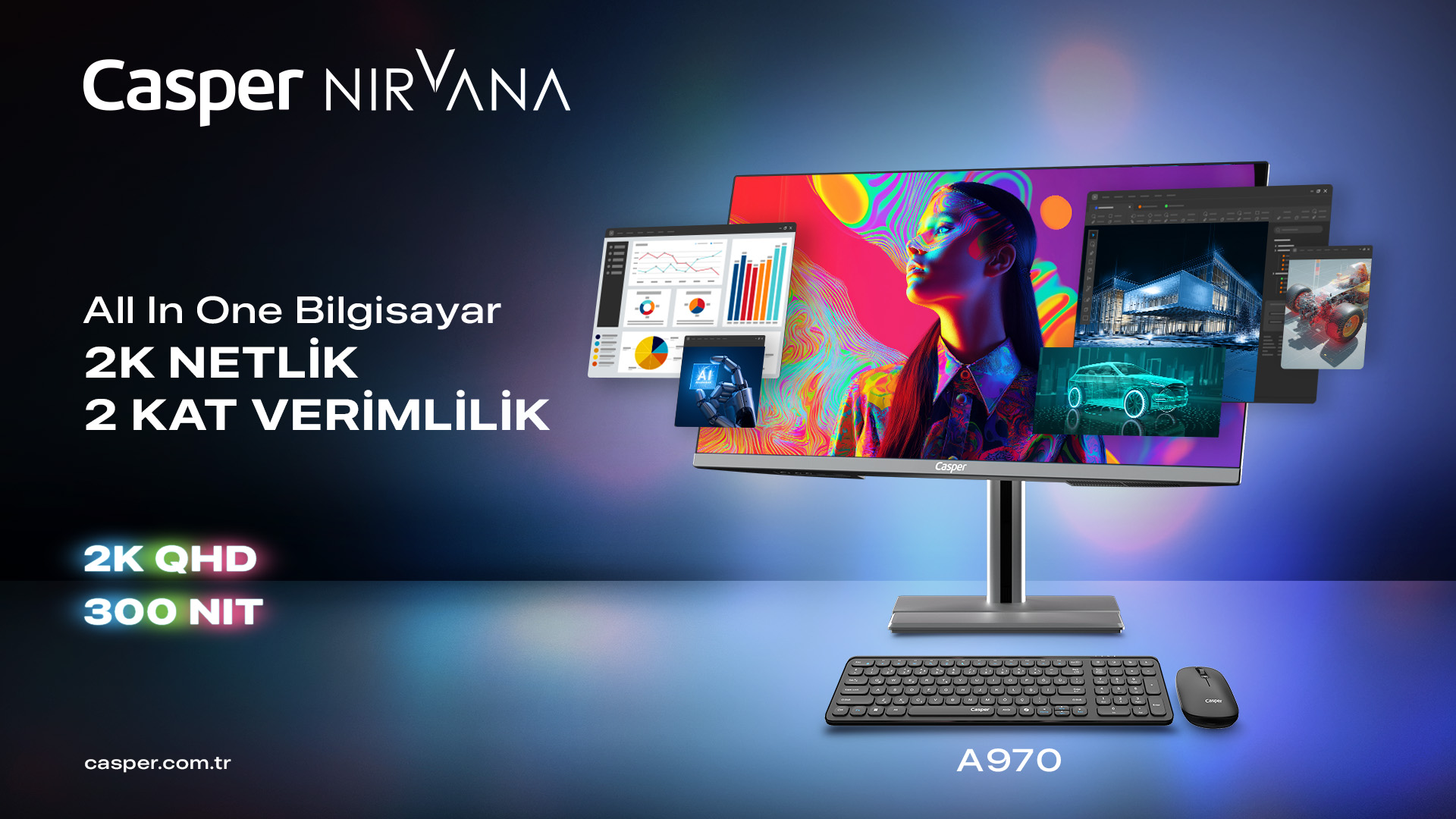
Choosing an All-in-One computer for business requires more than deploying a single model to every employee. Finance, sales, reception, management, and operations teams may have different processor, memory, display, and connectivity needs. Casper's A970 and A800 product pages show how the same AIO form factor can be configured for different corporate usage profiles. For this reason, the purchasing standard should first define the employee role and then the actual workload of that role.
Casper Nirvana A970 focuses on delivering a premium All-in-One experience for teams seeking a larger workspace and better ergonomics, with its 27-inch 2K QHD IPS display and 300-nit brightness. Nirvana A800 offers a more compact setup with a 23.8-inch IPS display, 250-nit brightness, and different processor options. The A800 is also listed as a model tested under MIL-STD-810H for certain environmental conditions such as high temperature, low temperature, and dusty environments. This does not imply unconditional durability or an unbreakable design; it refers only to the stated test scope.
Start the AIO standard with employee roles
In an AIO computer, the processor, memory, storage, and other key components are integrated into the same physical structure as the display. This form factor reduces the need for a separate desktop tower, but it does not determine the performance class on its own. Because different processor, RAM, and SSD options may be available under the same model name, organizations should first identify the applications in use, simultaneous workloads, and display requirements. Standard office work should not be evaluated under the same hardware standard as large spreadsheets, heavy browser use, or content production.
Processor selection should match the workload
The A970 product page lists processor options such as the Series 2 Intel Core Ultra 7 255H, Core 5 210H, and 13th-generation Core i7-13620H. This range makes it possible to build profiles for tasks ranging from standard office applications to more demanding multitasking. The A800 also offers different desktop- and mobile-class Intel processor options. For an organization, the key is not simply choosing an “i5” or “i7” label, but evaluating the processor generation, class, and actual application workload together.
Why do RAM and storage standards matter across the fleet?
Memory capacity directly affects multitasking performance. The A970 offers DDR5 4800 MHz options ranging from 8 GB to 32 GB, while the A800 can also be configured with DDR5 memory. Assigning the same RAM capacity to standard office users and teams working with large data files, many browser tabs, or heavier applications may create unnecessary cost or insufficient performance. Defining two or three role-based memory standards provides a more manageable approach.
For SSDs, organizations should review not only capacity but also the interface and upgrade plan. The A970 page lists M.2 SSD options from 250 GB to 2 TB, as well as PCIe 3.0 and 4.0 alternatives. When defining user profiles, local file volume, cloud usage, application sizes, and expected growth over three to five years should be considered together. Choosing a drive that is too small at the outset may later create migration and reinstallation work.
Role-Based AIO Configuration Plan
|
Employee profile |
Hardware focus |
Display/connectivity need |
Management note |
|
Reception / front desk |
Balanced CPU and RAM |
Accessible ports, video calls |
Clean and organized desk setup |
|
Standard office |
Mid-range CPU, sufficient DDR5 RAM |
Balanced display for office applications |
Suitable for fleet-wide standardization |
|
Finance / analysis |
Stronger CPU and higher RAM |
Large workspace for extensive spreadsheets |
The A970's 27-inch QHD display may be considered |
|
Executive / professional |
Performance plus video conferencing |
2K QHD, 3.1 MP camera, ergonomics |
A970 features may stand out |
|
Shared use |
Balanced configuration |
Port accessibility and easy management |
User profile and security standards are important |
Display and ergonomics affect long working hours
The A970's 27-inch 2560 × 1440 IPS panel is listed with 300-nit brightness, a 178-degree viewing angle, anti-glare, anti-flickering, and low blue light features. Its stand supports 90-degree pivot rotation, 120 mm height adjustment, and multiple tilt positions. This larger workspace may be useful for teams working with large spreadsheets, side-by-side windows, and visual content. The A800, with its 23.8-inch IPS panel and 250-nit brightness, offers an alternative for more compact desk setups.
Ports should be evaluated by function, not only by quantity
Before a corporate rollout, peripherals such as printers, external drives, cameras, headsets, network connections, and second displays should be listed. The A970 includes USB 3.2 Type-A and Type-C connections on its side. However, the presence of Type-C does not automatically mean that display output, charging, or every USB-C function is supported. The port's capabilities should be verified in the product specifications, and the organization's dock and adapter standards should be defined accordingly.
How should the A800 test data be interpreted?
The official A800 product page states that the model has been tested under MIL-STD-810H for certain environmental conditions, including high temperature, low temperature, and dusty environments. This indicates that the product passed the stated test conditions; it should not be interpreted as unconditional resistance to every drop, impact, liquid exposure, or usage scenario. In corporate procurement, the technical specification should accurately reflect both the name and the scope of the test.
Upgrades and lifecycle planning should begin at purchase
Although the AIO form factor simplifies desk organization, upgrade flexibility may be more limited than with a traditional desktop, depending on the model. RAM, SSD, operating system, and peripheral requirements should therefore not be selected only for today's needs. Organizations should anticipate application growth, changes in user roles, and storage requirements over a three- to five-year lifecycle. The SATA and M.2 NVMe expansion slots listed in the A970 technical specifications provide a concrete checkpoint for this planning, although the technical suitability of any upgrade should still be verified for the selected configuration.
Pilot use before corporate rollout
Creating a small pilot group before a bulk purchase helps validate the technical specification. Application performance, display ergonomics, port requirements, and peripheral compatibility can be tested across different user profiles. Pilot results can help reduce overpowered configurations or upgrade underperforming profiles, creating better control over total cost of ownership.
For category options, visit Casper All-in-One computer models.
For A970 technical details, visit the Casper Nirvana A970 product page.
For A800 technical details and test scope, visit the Casper Nirvana A800 product page.
Frequently asked questions about All-in-One computers for business
Is an All-in-One computer suitable for a corporate office?
Yes, but suitability depends on the selected configuration. With a balanced CPU, RAM, and SSD, the AIO form factor can support standard office work, browser use, video meetings, and corporate applications. For workloads requiring intensive dedicated graphics, frequent hardware changes, or specialized monitors, alternative form factors such as traditional desktops should also be compared.
What is the main difference between the A970 and A800?
The A970 focuses on a larger workspace with its 27-inch 2K QHD IPS display, 300-nit brightness, and broader ergonomic options. The A800 offers a more compact design with a 23.8-inch IPS display and 250-nit brightness. Since both models are available in different hardware configurations, the decision should be based not only on screen size but also on user role and application workload.
How much RAM should be selected for corporate use?
No single capacity is right for every employee. Standard office tasks, large spreadsheets, intensive browser use, and professional applications create different memory requirements. The DDR5 options available for the A970 and A800 make role-based standardization possible. The IT team can measure actual application usage with pilot users and define two or three RAM profiles.
What does the A800 MIL-STD-810H test mean?
Casper's official product page states that the A800 has been tested under MIL-STD-810H for certain environmental conditions, including high temperature, low temperature, and dusty environments. This means the device passed the stated tests; it is not a guarantee that it is unbreakable or will operate without damage in every condition. Procurement documents should describe the test scope within these limits.
Can the SSD and RAM in an AIO computer be upgraded later?
Upgrade options depend on the model's internal design and selected configuration. For example, the A970 technical specifications list SATA and M.2 NVMe expansion slots, but compatibility and service conditions for any modification should be verified separately. Whenever possible, organizations should plan capacity needs for the next three to five years during procurement to reduce the need for later intervention.