
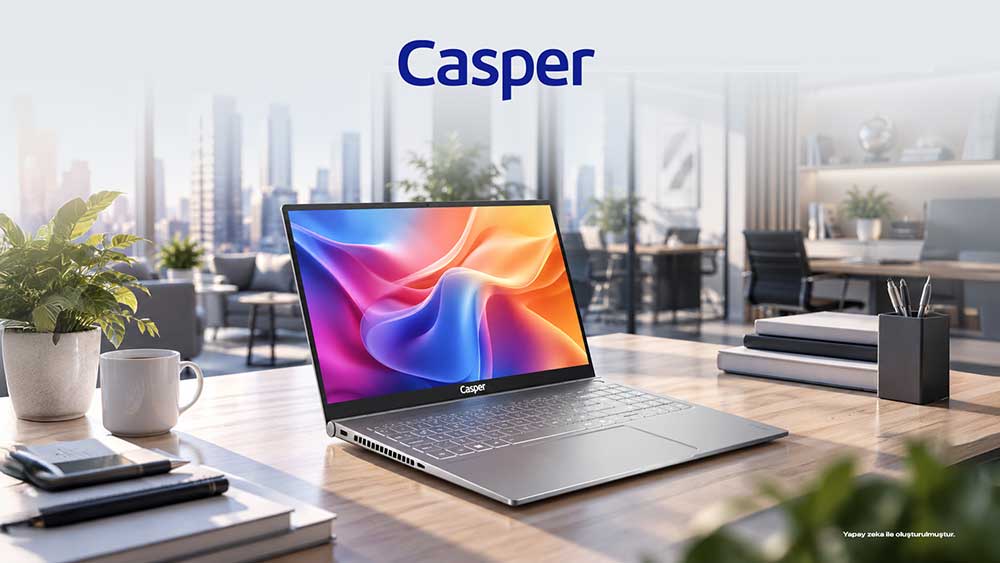
When establishing a corporate laptop standard, a one-size-fits-all decision may overlook the needs of different employee profiles. Finance, sales, software development, management, and standard office teams use the same computer in different ways. With its 16-inch 16:10 display, DDR5 memory architecture, M.2 NVMe storage, and various processor options, the Casper Nirvana S100 is one of the models that can be considered when creating role-based device standards.
The S100 product page lists different options such as Intel Core 7 240H, Core 9 270H, Core Ultra 7 255H, Core i5-13420H, and Core i7-13620H. Because of this variety, organizations should first define user profiles and then select processor, RAM, and SSD combinations according to each role. Since different configurations may exist within the same model family, the full model code should be recorded in the purchasing list.
Employee Profiles Are the Starting Point for Technical Standards
A standard office user typically switches between a browser, email, video meetings, and office applications. Finance or analytics teams may work with larger spreadsheets, ERP screens, and multiple simultaneous applications. Development environments, local services, or virtual machines may come into play for software teams. These differences show that RAM and processor levels do not have to be uniform across the organization.
The hardware standard can be divided into three or four user classes. By creating categories such as basic office users, intensive multitaskers, technical users, and mobile executives, the purchasing team can manage a controlled number of configurations instead of searching for a separate model for every employee. This approach also simplifies inventory, spare-device, imaging, and support processes.
Base Processor Selection on Application Workloads
Labels such as Core i5, i7, Core 7, or Core Ultra do not define performance requirements on their own. Generation, series, and power class should be evaluated together. The availability of H-series processor options in the S100 enables different performance tiers for demanding multitasking scenarios. When considering the Core Ultra 7 255H option, organizations should also confirm whether its AI acceleration features provide real benefits in the software they use.
When setting a processor standard, the purchasing team can review CPU usage on current devices, user complaints about waiting times, and the most demanding applications. This makes it possible to allocate capacity according to actual workloads rather than simply choosing a higher model number. If a three-to-five-year lifecycle is planned, a reasonable performance margin can also be reserved for future software requirements.
What Does a 16:10 Display Offer for Office Productivity?
The Nirvana S100’s 16-inch, 16:10 FHD IPS display with 300-nit brightness provides a notable workspace for employees who use documents, web pages, ERP systems, and spreadsheets. Compared with 16:9, the 16:10 aspect ratio can display more vertical content at once. This may offer practical value for employees who want to reduce scrolling in long documents or use two applications side by side.
However, a 16-inch display also affects mobility decisions. The device’s approximately 1.8 kg weight and 18.3 mm thickness should be assessed in relation to desk space and daily carrying needs. An employee who works mainly in the office may not have the same display-size expectations as a sales employee who visits customers every day.
Role-Based Corporate Configuration Plan
|
User profile |
Primary requirement |
Hardware area to review |
|
Standard office |
Browser, meetings, office applications |
Balanced CPU, sufficient RAM, and SSD |
|
Finance / analytics |
Large files and multiple applications |
RAM capacity and processor class |
|
Technical user |
Development tools / intensive multitasking |
CPU, RAM, and local storage |
|
Mobile executive / sales |
Portability, meetings, external display |
Weight, display, USB-C, and HDMI |
Do Not Limit RAM and SSD Standards to Today’s Needs
The S100 is listed with DDR5 4800 MHz memory, two SODIMM slots, and support for up to 64 GB. For an organization, this means that different RAM tiers can be created on the same device platform. Lower capacity may be selected for standard users and higher capacity for technical teams. If an upgrade plan is being considered, the existing module layout and service or warranty terms should be confirmed before purchase.
M.2 NVMe storage is used, and the product page lists one M.2 slot. For devices expected to remain in use for three to five years, it is therefore important to choose the correct SSD capacity from the outset. A team using cloud-based file management may not need the same capacity standard as a team that stores large local datasets or media files.
Ports, Security, and Hybrid-Work Details
Port selection in a corporate laptop often becomes a cost item noticed only after purchase. The S100 lists two USB-A ports, a full-function USB-C port, and HDMI. For teams using external monitors, presentation displays, USB peripherals, or hubs, these ports should match actual workflows. USB-C functions should be verified against the technical specifications before accessories are selected.
The S100 also lists a fingerprint reader integrated into the power button, Wi-Fi 6-class connectivity, Bluetooth 5.2, a 720p camera, and noise cancellation. These features can be evaluated for hybrid meetings and user sign-in. Corporate security decisions should not rely on the fingerprint reader alone; operating-system policies, disk encryption, identity management, and multi-factor authentication should also be addressed in the organization’s security standard.
What Do the Aluminum Chassis and SGS Verification Add to a Corporate Evaluation?
The Casper Nirvana S100 product page highlights an aluminum chassis and premium lines on a hairline-finished surface. From a corporate-use perspective, material choice is not only about appearance; frequent transportation, meeting traffic, and long usage cycles make chassis construction an important part of the device standard.
SGS report TR_20261155_R1, dated August 20, 2026, examined an S100/S200 255H sample equipped with a Core Ultra 7 255H, integrated GPU, and 64 GB DDR5 5600 MHz RAM. The hinge underwent 20,000 opening and closing cycles. At checkpoints every 5,000 cycles, no chassis cracking, damage to display cabling, or torque loss exceeding the specified limit was observed.
In the PCMark Productivity test, the average of three measurements was 18,544 points against an acceptance criterion of 10,750 points; the report recorded a fulfillment rate of 173%. The result applies only to the tested sample and cannot be generalized to other S100 configurations.
Pilot Use Reduces Risk Before Bulk Purchasing
Before deploying hundreds of devices, it may be useful to select a small pilot group from different departments. Users can provide feedback on display ergonomics, application performance, meeting quality, port requirements, and portability. The IT team can also test the corporate image, VPN, security software, and peripheral compatibility. Pilot results can reveal minor changes needed in RAM or SSD standards before a large-scale rollout.
This method makes the question “Which laptop is better?” more measurable from an organizational perspective. Instead of purchasing the highest technical specifications, organizations can evaluate role-based sufficiency, a three-to-five-year lifecycle, supportability, and total cost of ownership together.
Current processor, RAM, SSD, and connectivity options for the S100 can be verified on the Casper Nirvana S100 product page. For SGS performance and durability data, see the TR_20261155_R1 report summary.
Frequently Asked Questions About Corporate Laptop Selection
Is the Nirvana S100 suitable for corporate use?
With its 16:10 display, DDR5 memory architecture, M.2 NVMe storage, and various H-series and Core Ultra processor options, the S100 can be considered for a range of office profiles. Suitability depends on the selected configuration and the organization’s applications. If demanding workloads such as ERP, development, or analytics are involved, processor, RAM, and storage requirements should be defined separately from the standard office profile.
Should a corporate laptop have 16 GB or 32 GB of RAM?
There is no single correct capacity. Employees who mainly use browsers, office applications, and meetings have different memory needs from teams working with large Excel files, development environments, or many simultaneous applications. The S100’s two SODIMM slots and support for up to 64 GB enable role-based standards; the existing module arrangement should be checked before an upgrade.
Is a 16-inch 16:10 display advantageous for employees?
A 16:10 ratio can show more vertical content in documents, web pages, ERP systems, and spreadsheets, which may improve desk-based productivity. However, the portability impact of a 16-inch device should also be considered. The S100 is listed at approximately 1.8 kg, so frequent travelers and primarily office-based employees may have different display and mobility priorities.
How should SSD capacity be determined in a laptop standard?
First, measure users’ local file requirements. Standard office employees using cloud storage have different capacity needs from technical teams that keep large project files locally. Because the S100 is listed with one M.2 NVMe slot, selecting sufficient capacity at the outset for a three-to-five-year lifecycle is safer than assuming that a second internal drive can be added later.
Is a pilot test necessary before a bulk laptop purchase?
It is not mandatory, but it can reduce risk in large deployments. A pilot group tests the device with actual corporate applications, VPN, security software, external monitors, and peripherals. User feedback reveals gaps in display, performance, and mobility, while the IT team validates imaging and management processes. Configuration changes can then be made before bulk purchasing.