
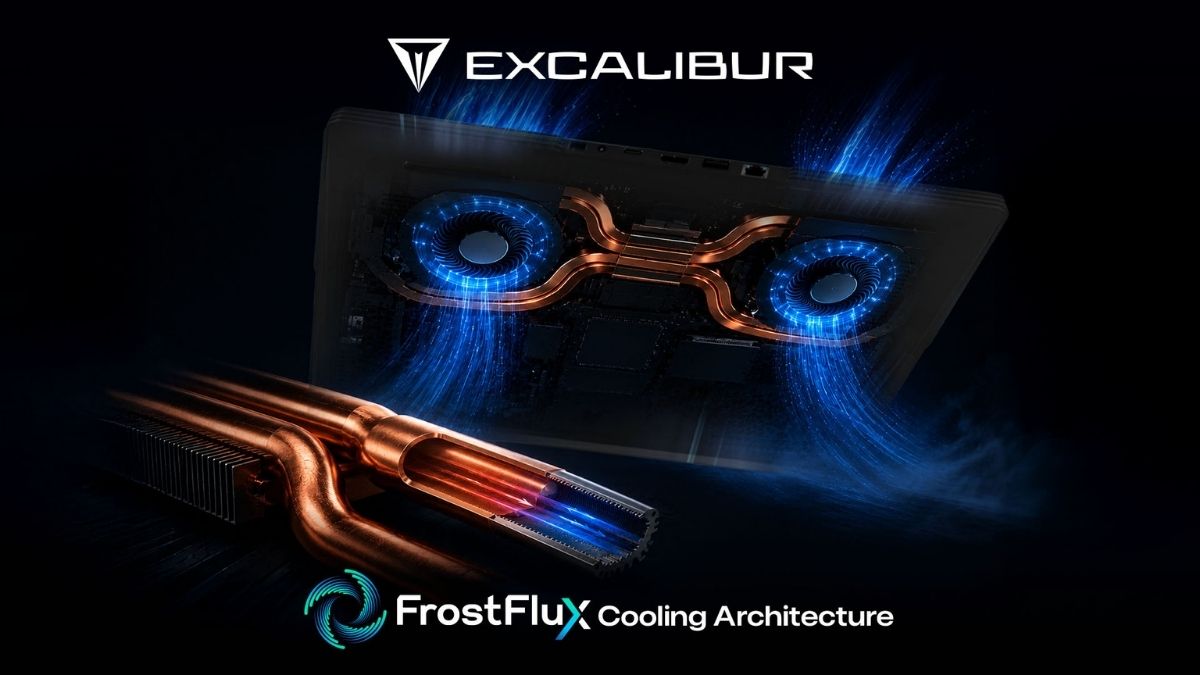
The Excalibur FrostFlux Cooling Architecture control center allows users to switch between Office, Entertainment, and Gaming profiles through the Excalibur Control Center. This lets users choose quieter cooling behavior for daily work and stronger cooling performance for demanding games.
Learn the usage scenarios of Office, Entertainment, and Gaming modes, the fan-performance balance, and the FrostFlux Smart Control approach.
|
Dual turbo
fan |
2–6
heatpipe |
Four-way
air exhaust |
Why is a single fan profile not enough?
A laptop’s workload is not constant throughout the day. While email and document editing require low power, video, gaming, compiling, or rendering can generate much higher heat. A single aggressive profile may create unnecessary noise during everyday work, while a single quiet profile may limit performance under heavy loads. Profiles allow users to switch between these extremes based on the intended use.
The difference between Office, Entertainment, and Gaming modes
Office mode is designed to deliver quieter acoustic behavior for daily productivity and is defined with an approximate 36 dB(A) approach. Entertainment mode offers a middle ground for video, multimedia, and balanced use. Gaming mode gives higher priority to fan and power management under heavy CPU/GPU loads, with an operating target below 50 dB(A). Actual values may vary depending on the model, workload, and ambient conditions.
What hardware works behind the software?
Selecting a profile does not generate cooling on its own; it manages the FrostFlux hardware chain. Separate copper blocks for the CPU and GPU, Phase Change TIM, two to six C1020 OFC heatpipes depending on the model, dual turbo fans with 0.2 mm LCP blades, and four-way air exhaust work together. The software helps determine how this capacity should be prioritized.
A practical approach to choosing a profile
Office mode can be the starting choice for meetings and document work, Entertainment for content viewing and medium workloads, and Gaming for competitive gaming or long rendering sessions. However, if the environment is hot, airflow vents are blocked, or background processes are active, the profile alone may not be enough. Task Manager, updated drivers, and physical airflow should also be checked.
ExcaliburFrostFlux Cooling Architecture deliver in practice?
|
Control area |
FrostFlux approach |
Practical benefit |
|
Office |
Documents, web, meetings |
Quieter acoustics priority |
|
Entertainment |
Video and medium workloads |
Balanced fan-performance approach |
|
Gaming |
Gaming, rendering, intensive tasks |
More aggressive thermal management |
Frequently Asked Questions
Does changing modes take effect immediately?
The Control Center applies the profile change; it may take a short time for fan behavior to adapt to the new temperature and workload.
Can games be played in Office mode?
Yes, but for better performance and temperature balance under heavy loads, the Gaming profile may be more suitable.
Do the modes deliver the same results on all Excalibur models?
No. Since hardware configurations and thermal components vary by model, results may also differ.
Conclusion
Control modes are the layer that adapts the Excalibur FrostFlux Cooling Architecture hardware to different usage scenarios. Users should choose a profile based on workload rather than habit. In corporate or technical use, the appropriate default profile can be determined by monitoring performance, temperature, and noise data.
A short service note for Excalibur users
Service Within 1 Hour: In suitable cases where software or thermal control needs to be examined, 1-Hour Service can provide fast support. The service is evaluated based on the device’s fault condition, the scope of the operation, and technical feasibility; out-of-warranty repairs and parts may be subject to fees.