
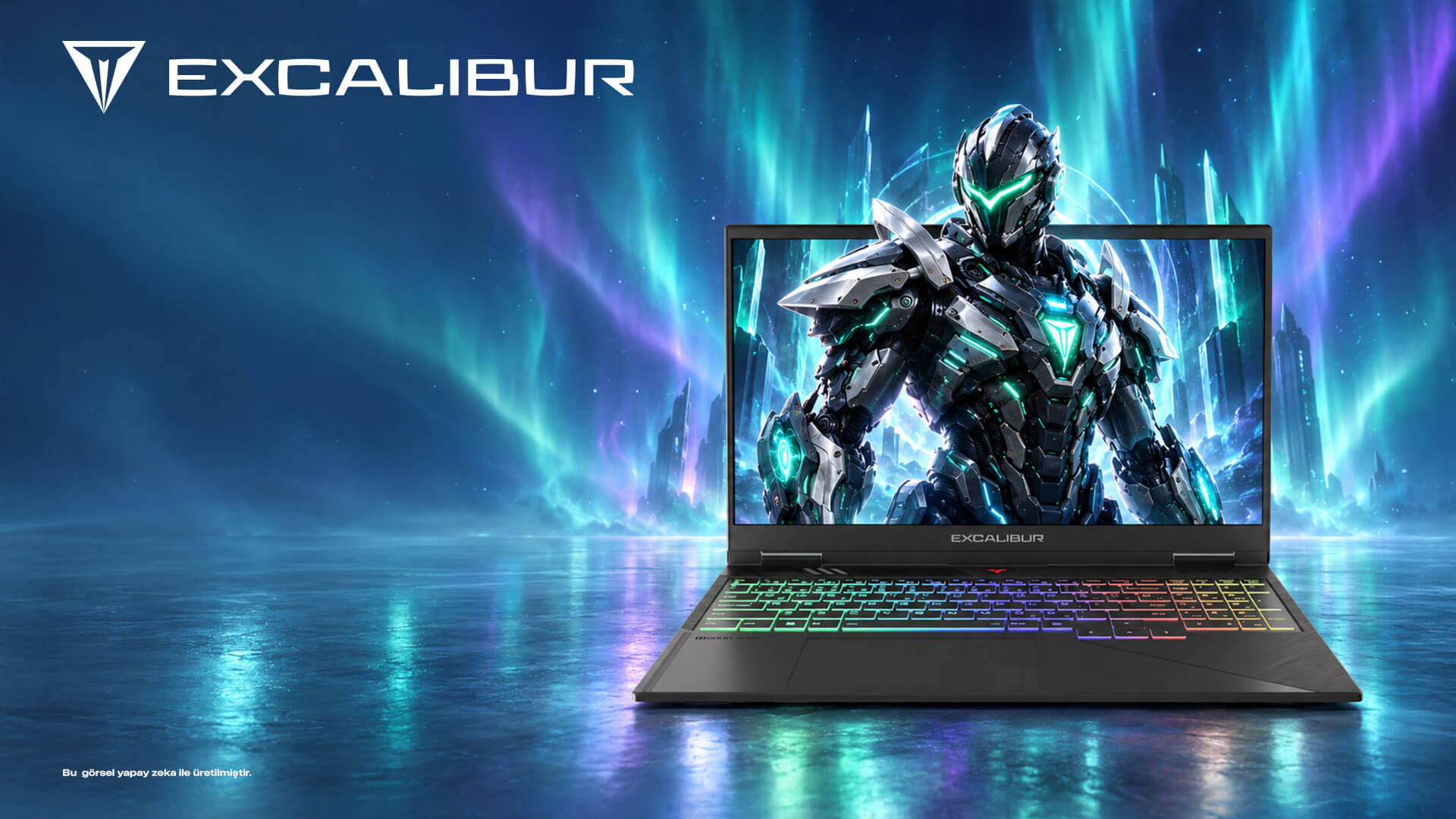
For players who care about fast aiming and motion tracking on the built-in display, the Casper Excalibur G920 (G920.1490-DQ90A-E) is a suitable option with its 300 Hz QHD panel. Besides the 16-inch screen, the sales list includes a configuration with a Core i9-14900HX and an RTX 5090 Laptop GPU. When choosing a gaming laptop, the Hz value of the screen and the FPS a game produces are evaluated separately. The first describes how often the panel refreshes the image; the second describes how many new frames the game generates per second. A player aiming for smooth visuals considers these two figures together with the genres they play and their preferred resolution. That way, the screen's capability becomes a feature tied to the games you know you will use it for.
What the screen does every second
Refresh rate defines how many times the panel updates the image within one second. In games where moving targets or fast-changing track lines must be followed, users give this feature more weight. Casper Excalibur G920 300 Hz QHD panel specifications show the 300 Hz refresh rate and the 16-inch screen. While aiming for fluid motion on the panel, keep in mind that the number of frames in the game and system stability also affect the experience. The same game produces a different number of frames at different graphics settings.
To see panel refresh more concretely, imagine a static menu on the same screen alongside a fast camera turn. If the menu content does not change, refreshing the screen again does not bring a new object position to your eyes with each refresh. When the camera turns quickly, the frequency of new frames coming from the game engine makes it easier to track objects in the scene. The refresh headroom a panel offers therefore matters most in motion-heavy use. Thinking through an in-game visual scenario while evaluating the screen helps you find the everyday meaning of the technical figure.
Higher frame rate at higher resolution
Running a game at QHD resolution requires the GPU to process more pixels. Players choose to keep the image rich in a detailed landscape or a scene with heavy effects. In fast encounters, they free up frame rate through view distance, shadow and effect options. Among the Casper Excalibur G920 RTX 5090 sales options is a card listed with 24 GB of GDDR7 graphics memory. When these specifications are considered together with the screen resolution, it becomes clearer which game settings your purchase decision rests on.
FPS is the result shaped together by the game engine, processor load, graphics settings and the scene. When building your own profile in a game, aim for settings that preserve image detail while improving motion tracking. Giving up shadow detail on a competitive map and preserving lighting quality in a story-driven game do not have to use the same values. The flexibility of a display choice shows in being able to tune your own visual preference in both types of games.
Response time, refresh and desk setup
Refresh rate and the panel's pixel response describe different information. Response time is a measure of how pixels behave when moving from one level to another. Refresh rate describes the panel's cycle of presenting a new image. The response time of the Casper Excalibur G920's panel is stated as 3 ms. Linking panel behavior to the game's graphics setting during comparison helps you set a clearer expectation, especially when judging blur or ghosting in fast scenes.
For someone who will always use the computer with the built-in panel, the screen's specifications come first. In a setup connected to an external display, the connection type and the external display's own operating characteristics also come into play. Also check that the resolution and refresh value selected in the operating system's display settings suit your use. The same game's windowed or full-screen setting produces different results. Once the setup is ready, checking the game menu and the system display setting separately lets you use the panel's feature through the right screen option.
Before changing panel settings, note the power mode you use and the game's frame rate limit. If either of these settings changes, your first impression of the screen changes too. To compare a feature, change one variable at a time in the same scene. Especially someone trying high refresh for the first time reaches their own preference by watching the motion on the panel and the game's FPS counter side by side. This is how you explain why your own test feels different from the screen values in review articles.
Which information is checked for a fast screen choice?
|
Goal |
Casper Excalibur G920 example |
|
Built-in panel refresh rate |
300 Hz |
|
Display resolution |
QHD |
|
Screen size |
16 inch |
|
Who it is for |
Players who follow fast scenes without needing a separate monitor |
A laptop's own screen and a second screen are rarely used for the same purpose. For example, you might use the desk monitor for fast competition and the built-in panel for shorter gaming sessions while traveling. Checking which screen is active and which refresh value is selected when a game starts keeps the two experiences properly separated. The active screen and selected refresh value are visible in the Windows display settings. If a very high panel refresh rate is a priority in your purchase decision, define that figure together with the game you will show it in. What the device is connected to on the desk also has an effect.
Conclusion
The Casper Excalibur G920 offers a 300 Hz screen to players who want high refresh on a built-in QHD panel. In the menu of the game you will use the hardware with, find your own balance between target frame rate and image detail. If you will connect the computer to an external monitor, separately evaluate that screen's resolution, refresh rate and the limits of the connection you use.
Frequently asked questions
Which graphics cards drive the Casper Excalibur G920's 300 Hz panel?
The Casper Excalibur G920 sales list includes RTX 5090 Laptop GPU and RTX 5070 Ti Laptop GPU options. The RTX 5090 carries 24 GB and the RTX 5070 Ti 12 GB of GDDR7 graphics memory. Both options come with a Core i9-14900HX processor. Players evaluate these two cards according to the graphics load of the games they play at QHD.
Should the FPS counter only be checked in moving scenes?
A menu screen, an empty map and a scene where many objects move at once do not create the same load. Monitor the frame rate in a segment that represents your gaming experience. For a broader picture, observe short intense scenes and normal gameplay separately. That way, a high number in the menu does not create a misleading expectation when choosing.
What does the Casper Excalibur G920's screen offer in color and brightness?
The Casper Excalibur G920's 16-inch QHD IPS panel is listed with 100% DCI-P3 color gamut and 500 nits of brightness. The color gamut affects the range of color tones shown on screen, while brightness affects how readable the screen is in a bright room. The 300 Hz refresh rate indicates how often the panel updates the image.
What changes when you lower the resolution on a QHD screen?
When a game runs at a lower resolution, the GPU processes fewer pixels. How the image is scaled on the panel affects the perception of detail and sharpness. Observe the readability of in-game interface text and motion smoothness in the same scene. This test helps you find the balance between resolution and image settings that suits you.
Does the built-in panel's Hz value apply on an external monitor?
The external display's own resolution and refresh rate are used. The type of connection from the computer to the monitor and the display settings affect which options appear. The value stated for the built-in panel describes the computer's integrated screen. In your own setup, check that the resolution and refresh rate the external display requires are supported at the same time.