
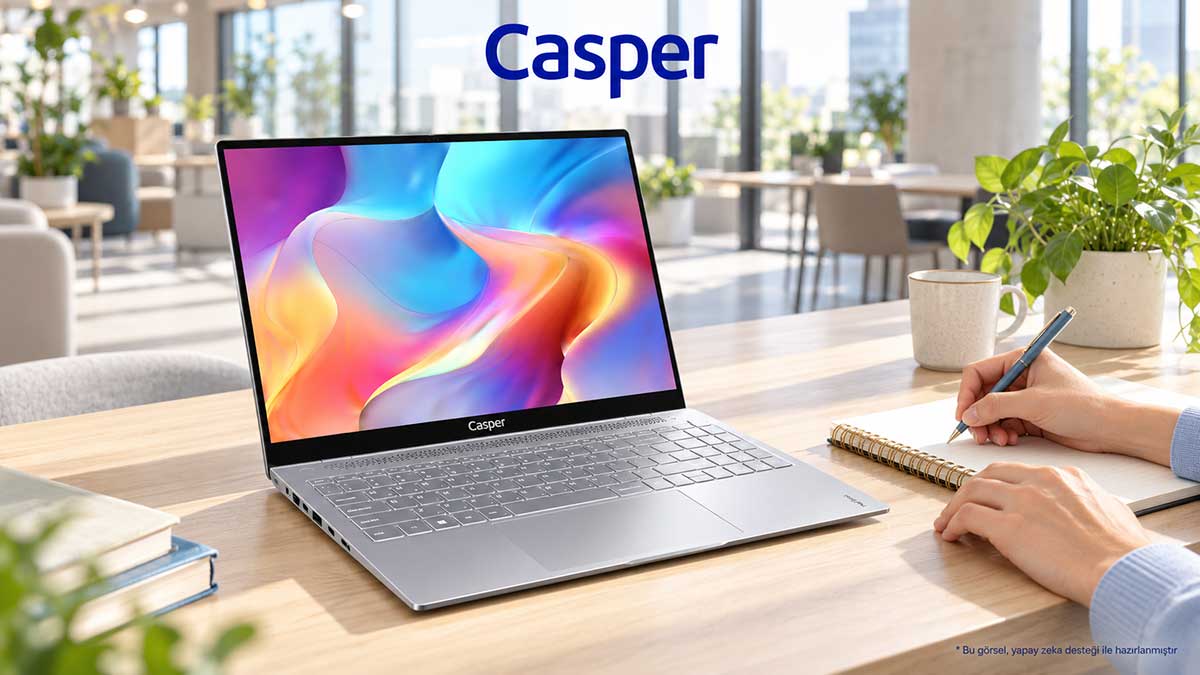
Choosing a laptop with long battery life requires evaluating battery specifications alongside real workloads, display settings, and the amount of time spent away from a power outlet. Casper Nirvana S100 and Casper Nirvana S200 are business laptops that can be compared against the hardware and connectivity needs of hybrid workers. A device's runtime in a specific video scenario should not be treated as the duration of a full workday filled with video meetings. To make the right choice, first define your workflow between home and the office, your meeting schedule, and your access to charging. Matching battery use to this plan provides a more concrete basis for a decision than relying only on capacity or a general claim of long battery life.
Home and Office Connectivity Plan
In a hybrid working model, a computer is expected to function at two different desks. A device connected to an external monitor at the office may be used at home with another display, a keyboard, or only its built-in screen. Before choosing a laptop, listing the equipment used in both locations makes setup requirements more visible. How meetings will be conducted and which screen will be used for presentations should also be included in this preparation.
The product information for the S100 and S200 includes HDMI and USB connections. These ports can be considered when planning how desktop displays and peripherals will connect to the device. The display input, the cable in use, and accessories supplied by the organization can be reviewed together. This allows users to know in advance which equipment they need to carry and which items can remain at the desk.
Determining Battery Needs Based on Meetings and Document Sessions
During a video call, the camera, network connection, and meeting application operate simultaneously. Document editing or offline reading may create a different workload. For this reason, do not define your entire workday with a single runtime figure. Set separate requirements for meetings, file-based work, and time spent on the move. Add locations with access to a power outlet to this timeline as well.
When reviewing Casper Nirvana S100 and Casper Nirvana S200, assess the selected processor, display settings, and power management together. Battery capacity is a product specification, while the duration of a particular application session requires a usage assessment with clearly stated conditions. Do not interpret the same capacity as providing the same runtime for every task. Your actual need becomes clear when you identify which parts of your meeting schedule are spent away from a power outlet.
Charging and Accessory Setup at Two Work Locations
If you use the same laptop at home and in the office, decide which equipment will travel with the computer. The routine of someone who carries the adapter on every trip may differ from that of someone who keeps compatible adapters at both locations. In all cases, match charging equipment to the conditions supported by the device. A connection type alone does not confirm compatible power delivery or charging support.
List the monitor, keyboard, and connection cables that remain at the desk separately from the laptop and other equipment carried in the bag. This preparation reduces the likelihood of discovering that a cable or charger is missing during the day. Relate the choice between Casper Nirvana S100 and Casper Nirvana S200 to this daily setup as well. Mobility is shaped not only by the dimensions of the device, but also by how all the equipment you carry is organized.
Accessing Corporate Applications from Two Environments
Hybrid work requires corporate access to be prepared alongside the hardware. The home network connection, meeting software, and the organization's remote access method form part of the device setup plan. When users know where work files are stored and which account is used to open them, they can maintain the same workflow at different desks. This preparation aligns the laptop's technical specifications with the organization's working model.
The S100 and S200 product pages present operating system and hardware options together. Compatibility between the chosen operating system and corporate applications can be included in the IT team's deployment plan. The required options can be reviewed through the working features of Nirvana S100 and the connectivity and system information of Nirvana S200. This allows the device, user account, application access, and desk setup to be assessed as part of the same preparation.
Meeting Schedule and Charging Access
A hybrid workday may begin with back-to-back calls and continue with document preparation or a presentation. Which of these tasks are performed simultaneously can guide processor and memory choices. For example, an employee who shares files and works in a corporate application during a meeting creates a scenario in which several tasks run together. The S100 and S200 configuration options can be reviewed with such a scenario in mind.
Writing out the steps of a sample workday before purchasing helps users and technical teams discuss the same requirements. Connecting from home in the morning, setting up a display at the office, and presenting in a meeting room are different touchpoints. The software, connectivity, and power access required at each step can be recorded. This explains suitability for hybrid work through the device's daily tasks rather than through the highest value of a single specification.
Selection Table Linking Battery Use to the Workday
|
Part of the workday |
Preparation |
What it means when choosing S100 or S200 |
|
Online meeting |
Camera, network, and application session |
Processor, RAM, and power settings |
|
Document work |
Readable display settings |
IPS display and brightness preference |
|
Moving between home and office |
Cable and adapter plan |
Connectivity and compatible charging equipment |
|
Time away from a power outlet |
Calendar and real-world usage observation |
Do not confuse capacity with a runtime promise |
The table summarizes the selection criteria. Hardware options should be checked against the exact product code, and usage recommendations should not be interpreted as a measured performance ranking.
Choosing a Hybrid-Work Laptop Based on a Battery Use Plan
If you attend meetings away from a power outlet, assess runtime using the same applications and similar display settings. If you use external displays at home and in the office, prepare connectivity, corporate application access, and the charging setup together. Complete your Casper Nirvana S100 or Casper Nirvana S200 choice with a configuration that suits this workflow. In practice, seeking long battery life means planning power access and required hardware together around your real workday.
Frequently Asked Questions
Can long battery life be determined by battery capacity alone?
No. Battery capacity describes the amount of stored energy, while processor choice, screen brightness, open applications, and connectivity affect actual runtime. Identify the tasks in your own workday when considering Casper Nirvana S100 and Casper Nirvana S200. Treat capacity information separately from usage duration measured under stated conditions. Make your decision without assuming that every session will deliver the same runtime.
Does video playback time also apply to video meetings?
These two activities do not create the same workload. During a video meeting, the camera, network, and applications operate together, while the conditions used for video playback may be different. Do not transfer a runtime figure directly from one task to another. Record your meeting schedule and charging access for hybrid work. Base the assessment on your own applications and comparable display settings.
Which connections should be reviewed when using different displays at home and in the office?
Check the monitor's video input, the cable to be used, and the laptop's complete connectivity specifications together. HDMI and USB information for Casper Nirvana S100 and Casper Nirvana S200 can support this preparation. The presence of a port does not automatically confirm every display or charging function. Match the required resolution, refresh rate, and power support separately against the product information.
Is using the same operating system enough for hybrid work?
The operating system should be assessed together with corporate applications, the remote access method, and account management. The home connection and the organization's access rules also form part of the plan. Match the selected Casper Nirvana S100 or Casper Nirvana S200 configuration with the technical team. This makes the laptop, application access, and desk connections parts of the same preparation across different work locations.
How should a sample workday be prepared to describe battery needs?
List meetings, document editing, presentations, travel, and similar steps in chronological order. For each step, note which applications will be open and whether a power outlet will be available. This plan links your battery expectations to specific tasks. Complete the comparison between Casper Nirvana S100 and Casper Nirvana S200 based on hardware selection, connectivity needs, and real usage intervals.
Sources
Casper Nirvana S100 product specifications
Casper Nirvana S200 product specifications
Technical information was checked on October 14, 2026.