
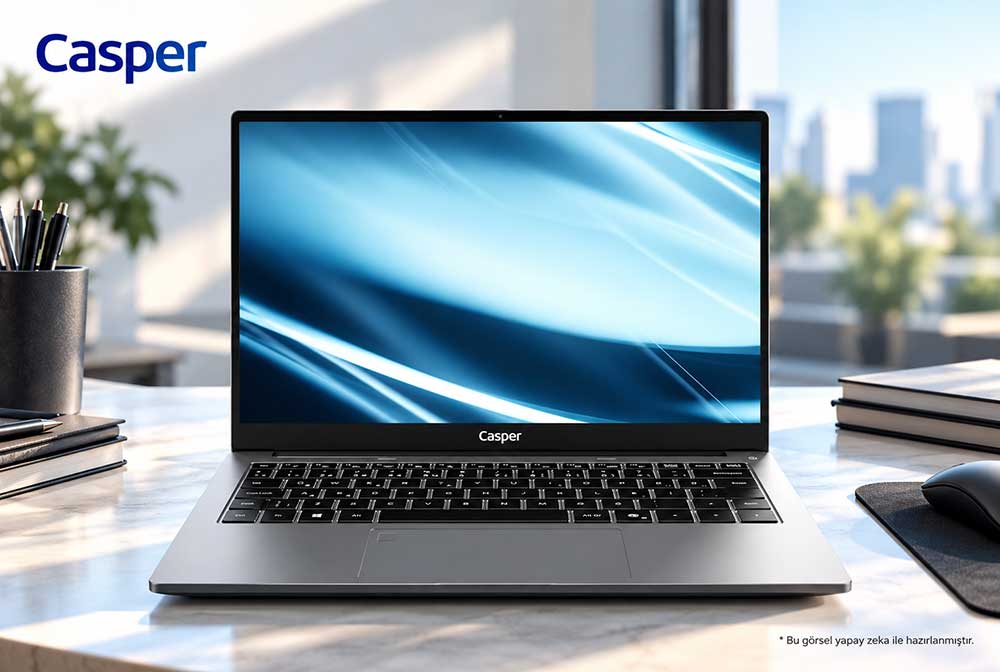
16 GB of RAM may be sufficient for a lightweight local virtual machine; however, requirements increase when development tools and multiple guest systems run simultaneously. The Casper NevoPro P40, with two DDR5 SODIMM slots and support for up to 64 GB of memory, provides a practical example for capacity planning. For users who develop software, reproduce customer environments locally, or test different operating systems, the starting point is the workload that must remain open at the same time. The browser, code editor, database, and guest operating system all share the available resources. RAM selection should therefore be evaluated against the entire daily workflow, not merely whether a virtual machine can start.
Starting the Memory Budget: The Host Operating System
RAM assigned to a virtual machine is only part of the physical computer’s total capacity. The host operating system, security software, meeting applications, and browser also require memory. Even when a guest system appears idle, updates, services, or databases running inside it may consume resources. As memory pressure rises, the operating system may rely more heavily on disk-based virtual memory, causing delays when switching between applications. This can affect the workflow even on a computer with a fast SSD.
A useful starting point for capacity selection is to monitor memory usage during a real work session. Task Manager shows total host-system usage, while the virtualization application reports the amount allocated to guest systems. A period when compiling, testing, and meetings overlap provides more meaningful data than an observation made with only the desktop open. This allows the decision to remain at 16 GB or move to a higher capacity to be based on the user’s actual project load.
Capacity and Storage Planning with the Casper NevoPro P40
The Casper NevoPro P40 product page lists several DDR5 memory options, including 16 GB, 32 GB, and 64 GB. The two SODIMM slots define the physical module layout, while the 64 GB limit defines the supported total capacity. The capacity of the installed modules and the occupancy of the slots determine how a future upgrade can be performed. For example, having an empty slot leads to a different purchasing process than having both slots occupied.
The model includes two storage slots and M.2 NVMe SSD options. Virtual disk files, operating system images, and checkpoints all consume storage space. A second SSD makes it possible to organize project data and virtual disks on separate drives, while RAM capacity supports the memory requirements of simultaneously running systems. The storage plan should also include the location of backups. A second drive inside the same computer is not a substitute for a separate backup that protects against loss of the device.
Choosing an Operating System for Hyper-V
According to Microsoft’s installation documentation, Hyper-V can be enabled on Windows 11 Pro and Enterprise editions; the Hyper-V role is not available in Windows 11 Home. On the hardware side, a 64-bit processor, SLAT, and the required virtualization features are needed. Because the Casper NevoPro P40 is offered with Windows 11 Pro, Home Single Language, and FreeDOS, the operating system selected at purchase affects the setup path for the development environment.
For a team planning to use Hyper-V, the Windows 11 Pro option provides one of the supported Windows editions. Completing the setup also depends on processor requirements and virtualization settings in the firmware. If another virtualization application is used, the operating system and version supported by that software should govern the choice. Microsoft’s published minimum memory requirement alone does not determine the performance that will be achieved while all development tools are open.
Local Virtual Machine Planning Table for the P40
|
Planning factor |
P40 specification |
Role in the workflow |
|
Total RAM |
16 / 32 / 64 GB options |
Simultaneous applications and guest systems |
|
Memory slots |
2 DDR5 SODIMM; up to 64 GB |
Module layout and capacity upgrades |
|
Local storage |
2 slots; M.2 NVMe options |
Virtual disks, images, and checkpoints |
|
Windows selection |
Pro / Home Single Language / FreeDOS |
Setup path for the virtualization software |
Independent Test Record for the 64 GB Configuration
In Intertek Test Hizmetleri A.Ş.’s report no. 202600541IST, dated September 11, 2026, the Casper NevoPro P40 was tested with an Intel Core i7-13620H processor, integrated graphics, and 64 GB of DDR5 5200 MHz memory. Measurements performed between August 6 and 20, 2026 recorded a Geekbench 6.2.2 multi-core score of 10,500 and a Cinebench R23.2 multi-core score of 10,274. These figures document the tested device’s processor performance and configuration; they do not provide a capacity measurement for a specific number of virtual machines.
Selection Criterion for Teams: Concurrent Environments
A user who performs short tests with one lightweight guest system has different requirements from a developer who runs an application server, database, and client at the same time. As the local lab grows, processor load and disk activity increase alongside memory use. Work that must continue locally when the network connection is unavailable also affects the amount of data stored on the computer. When defining a team standard, listing these tasks provides a more concrete basis than choosing capacity solely by job title.
A small pilot can use the same project, the same guest-system images, and the same daily applications. Along with memory consumption, the team can observe build time, sign-in time, and disk waits. Capacity upgrades can then be directed to the user group that shows memory pressure during the pilot. This approach connects the additional headroom provided by higher RAM to the work that needs it and avoids assuming the same capacity for every computer.
Frequently Asked Questions
Can a single Linux virtual machine run with 16 GB of RAM?
This may be possible with a lightweight Linux installation and a limited application load. The result depends not only on the memory assigned to the guest system but also on the applications left open on the host. Browser tabs, meeting software, and development tools increase the total requirement. The requirements of the chosen Linux distribution should be evaluated together with memory consumption during a real session.
How should the choice between 32 GB and 64 GB be made for virtual machines?
The decision should be based on the combined memory requirement of concurrent guest systems and host tools. The Casper NevoPro P40 offers both capacities among its options. If a database, application server, and test client run together, peak usage during a pilot session is a useful metric. Resource requirements for future projects should also be included in capacity planning.
Why does slot occupancy matter when upgrading memory in the P40?
The model has two DDR5 SODIMM slots and supports up to 64 GB of total memory. Whether the current capacity is installed as one module or two determines which components must be added or replaced during an upgrade. The specifications of the installed modules and the ordered configuration provide the starting point for a suitable upgrade layout. Physical arrangement matters as much as total capacity.
Does adding a second SSD reduce the RAM requirement of virtual machines?
A second SSD provides additional storage for virtual disks and project files, but running guest systems still require RAM. Memory and storage are different resources. While the Casper NevoPro P40’s two storage slots offer flexibility in file organization, RAM for the concurrent workload must be selected separately. The space occupied by checkpoints should also be included in the storage calculation.
Does Intertek’s 64 GB P40 test show how many virtual machines it can run?
The report does not test a specific number of virtual machines. It documents processor scores for the tested i7-13620H and 64 GB DDR5 configuration. The number of guest systems that can run varies according to the memory assigned to each system, processor load, disk access, and applications on the host operating system. A pilot using the user’s own images provides a direct answer to this question.
Conclusion
The Casper NevoPro P40 gives users who want to carry a local development environment room to plan with different RAM capacities and two storage slots. Whether 16 GB is sufficient depends on the memory consumed jointly by the host and guest systems. For teams that keep multiple environments open continuously, the value of the 32 GB or 64 GB option becomes clear through a pilot based on the real project workload.
Sources
Casper NevoPro P40: memory, storage, and operating system options
Casper NevoPro P40: Intertek 202600541IST test results
Microsoft Learn: Hyper-V installation requirements for Windows