
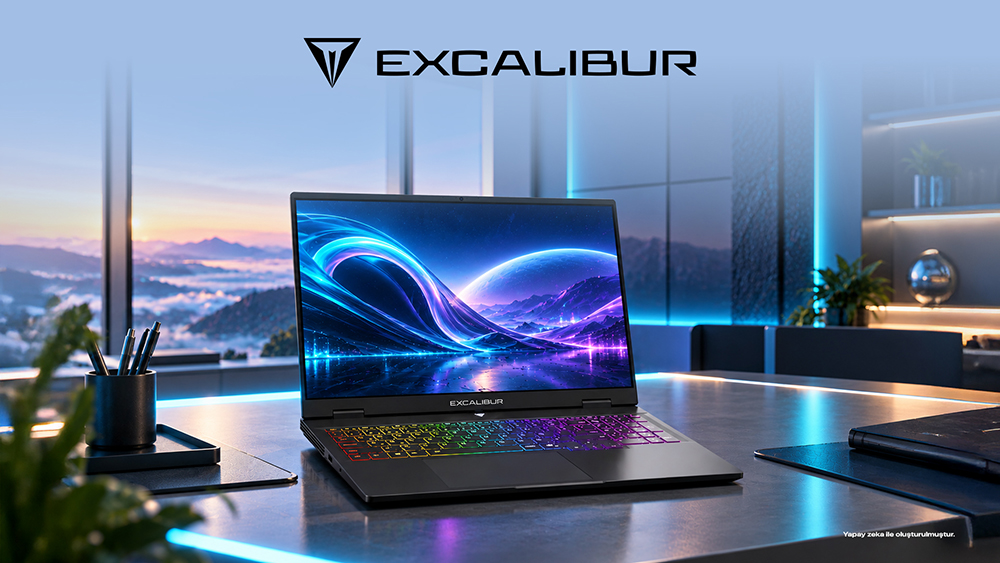
A gaming laptop can be considered for software development when projects require local processor, memory, or graphics resources and the same device will also be used for gaming. The G915.356H-EX70A-C configuration of the Casper Excalibur G915 received a “Conformed” result in five test categories in the TR_20261153_2 report dated August 19, 2026, issued by the Swiss-based independent organization SGS. The tested device, serial number CASPERSKU66680OO92, featured an Intel Core Ultra 7 356H processor, NVIDIA GeForce RTX 5070 Laptop GPU, 64 GB of DDR5 memory, 2 TB of storage, and a 165 Hz display. Its PCMark 10 Productivity score was 20,343, compared with the report’s acceptance criterion of 15,000 points. From a developer’s perspective, the choice depends not only on this hardware and independent test record, but also on where the project runs, which tools remain open, and the user’s personal workflow.
Turning a Development Session into Hardware Requirements
A developer’s workday may involve a code editor, browser-based documentation, debugging tools, and the project’s test environment running together. Another developer may keep only the editor open locally while running the application on a remote system. The tested Core Ultra 7 356H processor and 64 GB of DDR5 memory in the G915 provide a concrete configuration example when assessing local resource needs. The extent to which project tasks are performed on the laptop determines how much weight this example should carry in the purchasing decision.
For this reason, it is useful to begin the buying process by describing a typical development session. When the editor, simultaneous applications, and local test environment are considered together, the rationale behind processor and memory choices becomes clearer. By comparing the G915 sample hardware with their own project requirements, users can see which tasks would benefit from a high-capacity configuration. This allows the gaming-laptop category to be evaluated through the developer’s actual work rather than through the general impression of powerful hardware alone.
Separating Local Projects from Remote Development Environments
Visual Studio Code’s Remote Development overview explains how a container, remote machine, or Windows Subsystem for Linux environment can be used for development. A container is one way to run development tools in a defined environment. Distinguishing between processes performed on a remote machine and those handled by the laptop makes it easier to understand the load the computer will carry.
The G915’s 64 GB of DDR5 memory is a hardware specification that can be assessed after making this distinction. Applications that remain open locally and local testing processes should be included in the capacity analysis. When remote development plays a larger role, access arrangements, the team environment, and day-to-day usability become more prominent. Users whose workflows have limited local resource requirements may also compare other laptop classes, while gaming needs provide an additional reason to consider the G915.
The Reference Provided by Independent Productivity Testing
In the SGS record for the G915, the PCMark 10 Productivity score was 20,343 points, while the relevant acceptance criterion was 15,000 points. This measurement adds a numerical reference to the productivity evaluation of the tested system. The report found all categories—CPU/GPU/FPS performance, thermal performance, battery, mechanical durability, and LCD display—to be conformant. These findings apply to the specified sample under the hardware and operating conditions described in the report.
A complementary assessment for a developer’s own project can be made by testing frequently used tasks. Opening the project, running local tests, and debugging are examples that make the workflow more concrete. The independent SGS performance and quality findings for the G915 provide a general system reference, while the build time of a specific project must be measured with that project. These two evaluations reveal different details during the buying process.
Choosing Storage for Project Files and Games
The reviewed G915 included 2 TB of storage. If source files, development environments, local data, and games will all be stored on the same computer, the capacity choice can be tied to this complete usage scenario. Users can make the assessment more concrete by listing which files they will keep on the computer and which environments they will install locally. Projects that rely on remote storage may create a different need for local capacity.
For users combining gaming and software development on one device, the RTX 5070 Laptop GPU is another separate consideration. If project tools require graphics resources, it should be compared with the application’s technical requirements; for gaming, it should be assessed against the requirements of the selected games. Casper Excalibur G915 product configurations make it possible to review the hardware of the option being considered. Writing down both work and gaming expectations clarifies which features the budget is supporting.
Matching Developer Tasks with G915 Data
|
Development and personal use |
Reference from the SGS sample |
Information to complete the decision |
|
Development tools open at the same time |
Core Ultra 7 356H; 64 GB DDR5 |
Local applications and test environments |
|
Productivity assessment |
PCMark Productivity 20,343; criterion 15,000 |
The user’s own project tasks |
|
Keeping projects and games on the same device |
2 TB storage; RTX 5070 Laptop GPU |
Local files and application requirements |
|
Using the display across different workspaces |
20,000 hinge cycles; four inspections |
Transport and desk setup |
The Physical Side of a Computer Used Between Desks
A developer may carry the computer from a home desk to a team meeting or another workspace. In the premium aluminum-body, premium-hinge sample of the Casper Excalibur G915, the SGS international durability test reached 20,000 opening-and-closing cycles. The hinge was inspected at 5,000, 10,000, 15,000, and 20,000 cycles, with no adverse findings recorded at any of the four checkpoints. This record provides measurable data on repeated display movement.
The computer’s desk placement and the accessories that will be carried also matter in physical-use decisions. While the G915 test record supports the mechanical assessment, users can separately plan their bag and work-surface setup. Reviews of other models are available in the Casper product tests and verification reports archive. When hardware, project workflow, and physical use are considered together, the choice becomes more directly connected to the developer’s daily work.
Frequently Asked Questions
Which tasks should a developer who also plays games use to begin researching the G915?
The developer can list local projects, the testing tools in use, and the games to be played. The G915 reviewed by SGS featured a Core Ultra 7 356H processor and an RTX 5070 Laptop GPU. This hardware can be matched against the technical requirements of each application. In this way, work and gaming on the same computer can be planned around features the user will actually use.
Does the G915’s PCMark score indicate the build time of a specific project?
The score of 20,343 in the SGS record is the result of the PCMark 10 Productivity assessment; the acceptance criterion was 15,000 points. The build time of a specific project requires a separate measurement performed with that project. By supplementing the independent system reference with their own codebase, tools, and frequent tasks, developers can understand more clearly how the hardware choice relates to their workflow.
How should someone using a remote development environment assess powerful local hardware?
First, identify which processes run on the remote system and which run on the laptop. The tested 64 GB of DDR5 memory in the G915 is capacity information relevant to local applications. Users can assess their open tools and gaming needs together. If the local workload is limited, lighter device classes can also be compared using the same tasks.
What information is useful when project files and games will be stored on the same computer?
The G915 sample included 2 TB of storage. Users can begin choosing capacity by estimating the combined needs of project files, local development environments, and games. The storage of the configuration being purchased should then be checked against the product information. Separating remotely stored data from files kept on the computer makes the capacity used in daily work more visible.
What physical-use evidence is available for a G915 carried to meetings?
SGS’s mechanical review of the G915 covered 20,000 hinge cycles. No adverse findings were recorded at four intermediate checkpoints, providing independent evidence regarding repeated display movement. Users can plan movement between meeting spaces, the carrying bag, and the desk setup alongside this information. Physical use therefore becomes part of the assessment rather than limiting the research to processor and memory choices.
Conclusion
For people who want to use local development tools and games on the same computer, the G915 is an option that can be researched through an independent test record with clearly specified hardware. The deciding factors include local workload, simultaneous applications, storage needs, and gaming expectations. If most work runs on a remote system, portability and everyday comfort may carry more weight. The value of the choice becomes clear when the tasks assigned to the purchased hardware—across both project work and personal use—are defined explicitly.