
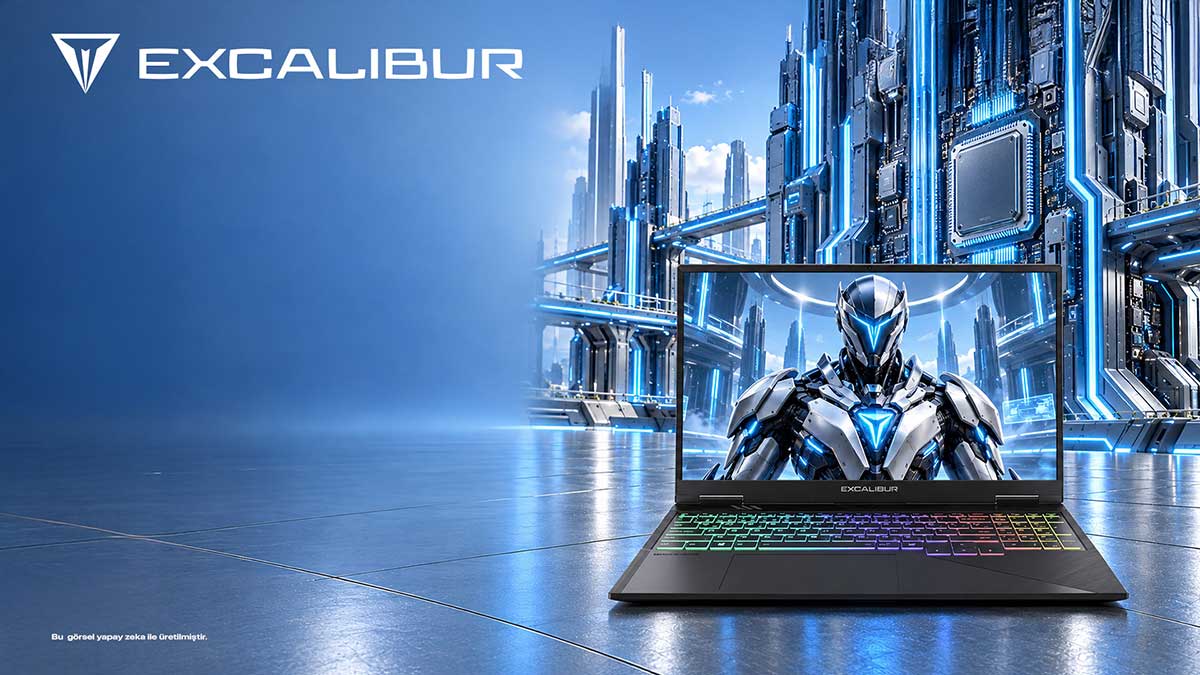
For users choosing a laptop for video rendering and 3D design, the Casper Excalibur G920 (G920.1490-DQ80-E) offers a powerful working base with its RTX 5080 graphics card and Intel Core i9-14900HX processor. Visual projects move through modeling, preview, material editing and final output, and each stage demands different resources. The 16 GB of graphics memory and the 32 GB of DDR5 system RAM also serve separate tasks. A laptop should be chosen by how well these resources match the size of your projects. As scene complexity grows, GPU memory and storage capacity together become key resources that affect how long creative work takes.
Division of labor between modeling and rendering
A 3D design project starts with building the geometry of the model. Adding materials to surfaces, lighting setups and animation scenes place different loads on the processor and the GPU. The Intel Core i9-14900HX in the G920 handles scene preparation and general software tasks, while the RTX 5080 contributes graphics computation in compatible render engines. Separating these workloads shows which component you actually need when choosing hardware.
The 16 GB of graphics memory on the RTX 5080 is dedicated space for the data used by GPU-accelerated applications. Complex texture files and detailed scenes can use graphics memory heavily. The G920’s 32 GB of DDR5 system RAM, in turn, provides a different workspace for editors, project managers and general applications. Keeping the roles of the two memory types apart makes it easier to understand production software requirements.
The Casper Excalibur G920 has a 16-inch QHD IPS panel with 500 nits of brightness. A designer who watches the model view, tool panels and reference images at the same time needs a wide surface. QHD resolution helps show small interface elements in more detail. The panel’s 100% DCI-P3 color gamut is an extra feature that comes from the product’s gaming heritage.
Memory and display workspace
The 1 TB M.2 SSD stores project files and large render outputs locally. Someone working in 3D can keep several versions of the same scene, download different texture packs and archive finished visuals. The Casper G920’s SSD capacity is a core resource in this file flow. As production habits grow, the storage plan is shaped by the size of the project folders.
Video editing and 3D rendering may not use the same software, but both can involve long processing times. The Excalibur G920’s two FrostFlux fans and four air outlets help remove the heat produced under heavy load. The way the components are laid out in the chassis thus becomes part of the performance equation. If the user works intensively at a fixed desk, the cooling design is an important priority.
The G920’s PC-ABS body is specified at 27.9 mm thick and 2.5 kg. These dimensions reflect the device’s performance-focused character. A designer can carry the computer between studio and home, but for users with a fixed work setup, display and graphics capacity matter more. Reading the physical dimensions together with everyday production conditions makes the specification list meaningful.
The system during long production sessions
Anyone looking for a video rendering laptop should determine the CPU and GPU support of the software they use. In some tasks the processor works harder, in others the graphics unit does. With its two strong processing resources, the Casper Excalibur G920 is suited to carrying out different production steps on a single device. The RTX 5080 configuration stands out especially for professionals who rely heavily on GPU-accelerated applications.
A 3D designer’s working day often moves between different versions of a scene. The first model starts with a light preview, then more surfaces, lights and textures are added. The Excalibur G920’s RTX 5080 graphics card provides an important resource for GPU-accelerated tasks in this process. The Intel Core i9 processor supports general project operations. Knowing which calculations the render software sends to which component shows more clearly at which stage the hardware power pays off.
In video production, exporting and delivering long files also affects the storage plan. High-resolution raw footage takes up large amounts of space not only during editing but also in the project archive. The G920’s configuration with a 1 TB M.2 SSD gives file space to those who want to keep their work on the local device. When producers separate project folders into raw footage, temporary output and delivery versions, they use hardware capacity more systematically. In this workflow, the QHD resolution of the screen is another tool that eases previewing and file checking.
In a render project, the division of work between the processor and the GPU varies by design software. While preparing a scene, the user may run into processor-heavy tasks. In the final output stage, GPU acceleration is used. The G920, which combines an Intel Core i9 and an RTX 5080, offers both resource types in one system. High-resolution project archives use SSD space, and open applications use RAM capacity. Therefore, when choosing a render laptop, looking at the real structure of your project files rather than a single test number gives more accurate results.
What resources does the Casper Excalibur G920 offer for rendering and 3D work?
|
Feature |
RTX 5080 configuration |
|
Graphics |
RTX 5080, 16 GB GDDR7 |
|
Display |
2560 × 1600, 500 nits, 100% DCI-P3 |
|
Storage |
1 TB M.2 SSD, two M.2 slots |
|
Cooling |
Two FrostFlux fans, four air outlets |
|
Body |
PC-ABS, 2.5 kg, 27.9 mm |
|
Best for |
Those doing GPU-based rendering and 3D modeling |
Frequently asked questions
What does the RTX 5080 provide for 3D rendering?
In GPU-accelerated render engines, a powerful graphics card takes over the computation. The RTX 5080 in the Casper Excalibur G920 comes with 16 GB of graphics memory. Scene complexity and the characteristics of the software in use are the main criteria that determine how much benefit this capacity delivers. How the render engine uses the GPU is the key determinant of the gain you see during a project.
What role does the Core i9-14900HX play in design programs?
The Intel Core i9-14900HX runs the general calculations and system tasks of modeling applications. In the Excalibur G920, the RTX graphics card handles the graphics side for suitable operations. This splits the design and render workflow across different hardware resources. Because system RAM and graphics memory carry different workloads, they are calculated separately.
Why does a QHD display matter for 3D design?
The Casper Excalibur G920’s 16-inch QHD IPS panel offers a wide surface for toolbars, modeling windows and reference images. Resolution becomes valuable for following small geometric details and organizing the workspace. The workspace on the panel makes it easier to watch design tools and the model preview at the same time.
Do 32 GB of RAM and 16 GB of GPU memory serve the same purpose?
System RAM is the general workspace of programs. Graphics memory is reserved for the scene and computation data used on the GPU side. In the relevant G920 configuration, there is 32 GB of DDR5 RAM and 16 GB of memory on the RTX 5080. They take on different tasks. A large project archive raises both storage capacity and organized file management.
Why does cooling matter during rendering?
Long render jobs can load the processor and GPU heavily. The Excalibur G920’s architecture with two FrostFlux fans and four air outlets supports heat management during this work. The cooling system is a complementary part of the laptop’s performance-oriented design. Moving air out of the chassis during long jobs supports production tempo.
The Casper Excalibur G920’s 16-inch QHD panel offers 500 nits of brightness and a 100% DCI-P3 color gamut. For texture, lighting and material editing, the wide color coverage contributes to the creative workspace. Storage options extending up to 4 TB also create room for large project archives.
Conclusion
Choosing a laptop for 3D design and video rendering becomes easier once you know which application uses which hardware resource. Combining an Intel Core i9 with an RTX 5080, the Excalibur G920 configuration appeals to those seeking broad computing capacity. The QHD display, memory and FrostFlux cooling round out this production environment.
Related links: Casper Excalibur G920 RTX 5080 | Casper product tests and verification